PRIMARY CATEGORIES → DESKTOP SETUP • SERVER SETUP
NEOVIM → Vim Fork focused on extensibility and usability
It greatly improves the user experience with a Text Editor and enhances aspects such as Efficiency and Performance
Compared to Vim
- More Modern
- More Extensible
- More Efficient
Modal Editor
Therefore, each mode has its own keybinds mapped to a specifics actions →
- Normal Mode
- Insert Mode
- Visual Mode
More information here
Installation
Neovim - Standard Installation
If Neovim is already installed, It is probably an older version that the one to be installed below
So, just uninstall it →
sudo apt remove -y -- neovimAccess to the Releases to copy the Download Link of the nvim-linux64.tar.gz to wget it or simply proceed as follows →
curl -LO https://github.com/neovim/neovim/releases/latest/download/nvim-linux-x86_64.tar.gz
sudo rm -rf /opt/nvim
sudo tar -C /opt -xzf nvim-linux-x86_64.tar.gz
Then, add this to the Shell Configuration File → .zshrc
export PATH="$PATH:/opt/nvim-linux-x86_64/bin"
export EDITOR="/opt/nvim-linux-x86_64/bin/nvim"
Also execute the above command to apply changes in the current Shell Context or →
source ~/.zshrcThat’s it!
To setup a Neovim Distro, See Here
$ command -V nvim
nvim is /opt/nvim-linux64/bin/nvim
Neovim - Installation From Source
If Neovim is already installed, It is probably an older version that the one to be installed below
So, just uninstall it →
sudo apt remove -y -- neovimPrerequisites
sudo apt install -y -- ninja-build gettext cmake unzip curl build-essentialCMake Installation
This binaries suite is necessary in order to correctly compile from source the neovim project
First, take a look at the releases and download the latest version whose installation is performed by a .sh script
Then, proceed as follows →
mkdir /opt/cmake
cd !$ && wget -O install.sh "https://github.com/Kitware/CMake/releases/download/vX.XX.X/cmake-X.XX.X-linux-x86_64.sh"
chmod 700 install.sh && ./install.sh
Note that the installation is performed on the /opt/cmake directory. So, simply add the previous directory path to the PATH environment parameter
IMPORTANT
Be aware that the path where the
cmakeinstallation was performed must be set before the standardcmakepath in the PATH env parameter in order to use the installedcmakeversion
Neovim Installation
git clone https://github.com/neovim/neovim Neovimcd !$ && make CMAKE_BUILD_TYPE=RelWithDebInfomake installAfter this, the neovim binary is installed in the /usr/loca/ directory, so there is no need to modify the PATH environment parameter since the above path is already in it
$ command -V nvim
nvim is /usr/local/nvim
Distributions
To improve even more the Editor Base Experience, just try one of the following distros →

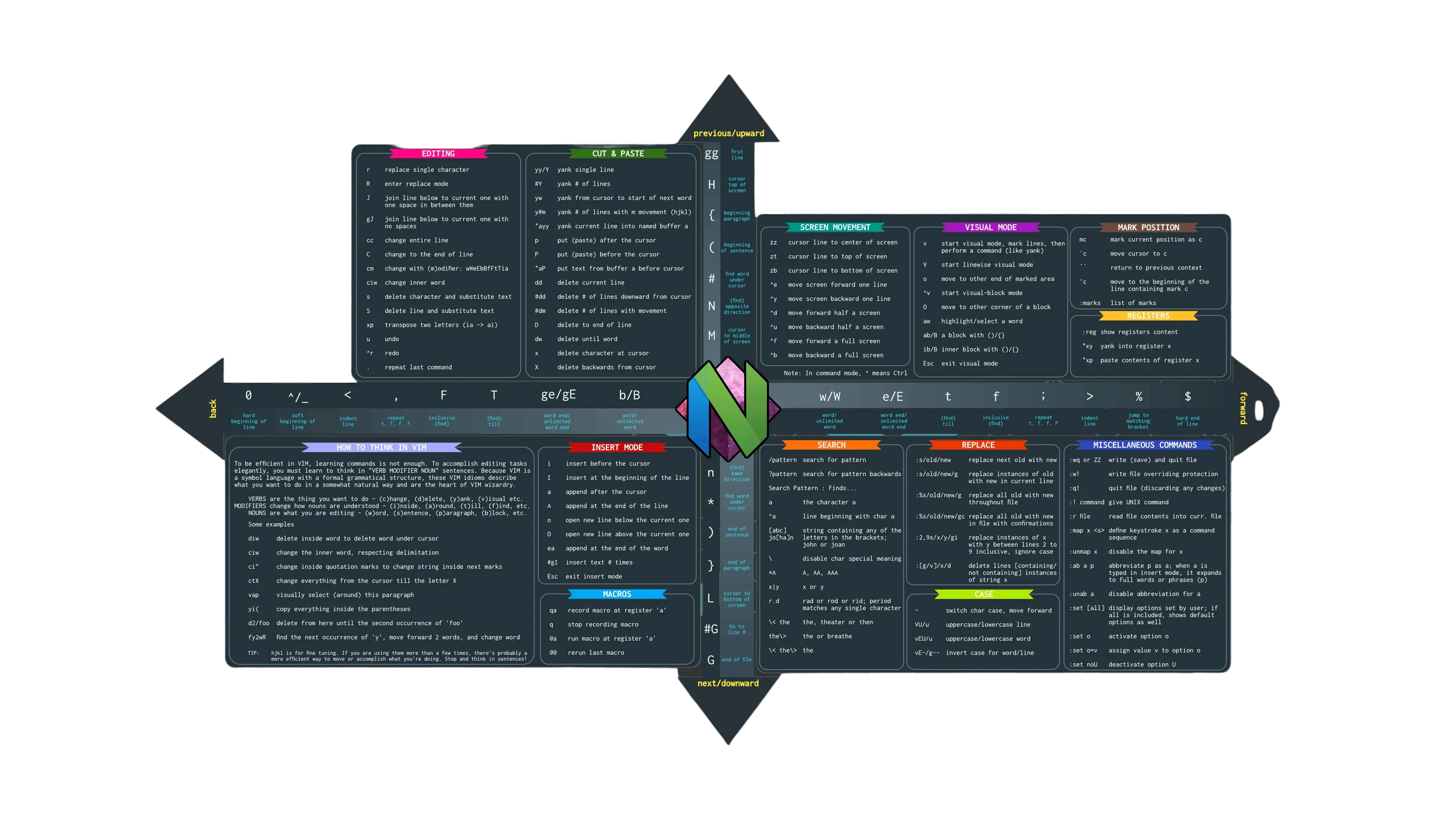
Nvim Cheatsheet